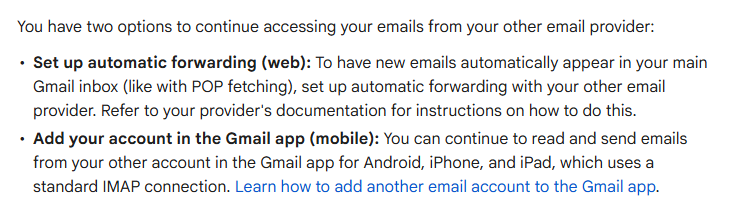
As you might have seen in your Gmail inbox, Google is ending support for POP email fetching in Gmail. You can still send emails as external accounts, but they just won’t fetch emails from your external accounts like they’ve been doing for years via POP. The two options they recommend are shown in this screenshot below. I decided to take the forwarding route.
There is a lot of information on IONOS’s help site about setting up an email forward in general, but it took me a minute to figure this out how to forward emails from an existing inbox. So figured I’d take a second write it down, and offer the same help for others who might have the random project or two hosted in IONOS like I do.
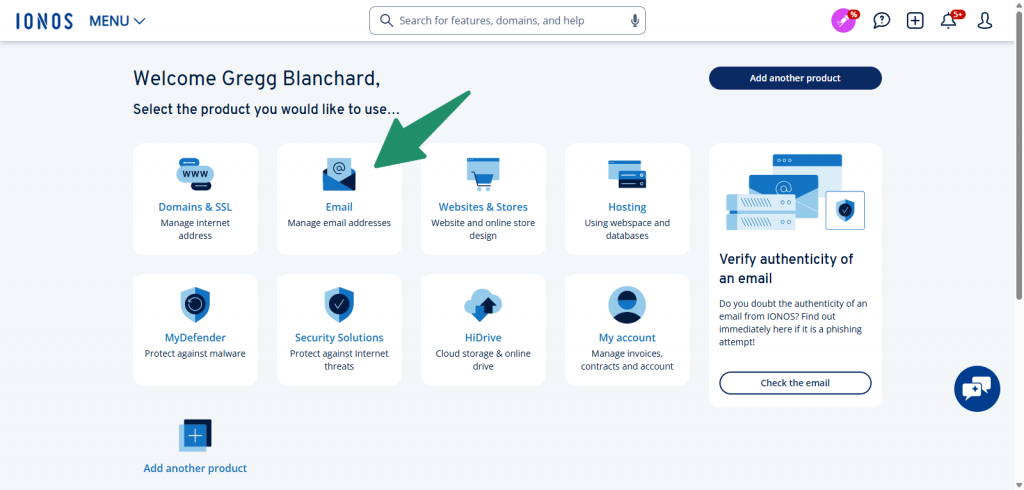
1. Login > Email
Log in to your IONOS dashboard and head to the Email section of your admin area.
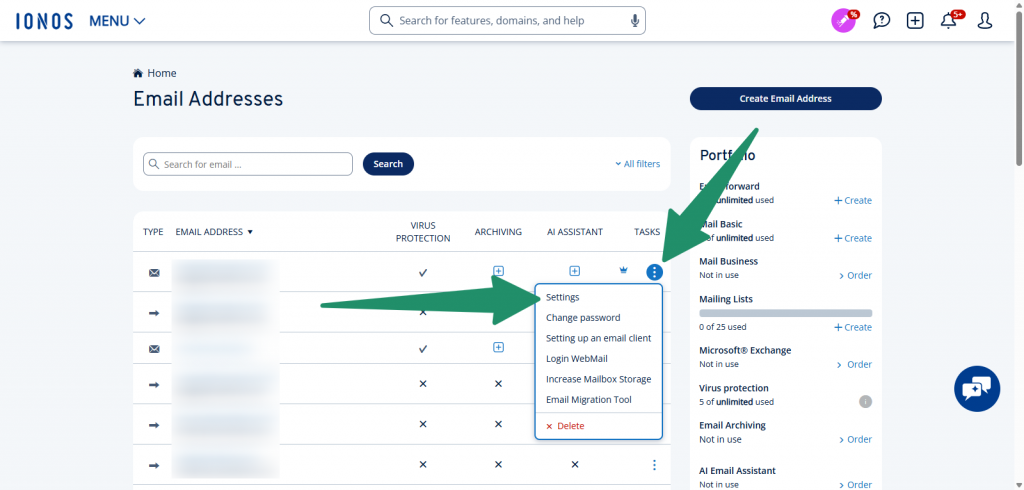
2. Choose Email > Settings
Next, find the email inbox you want to set up forwarding for. There will be three little dots on the right side of that row. Click that and select Settings (should be the first option).
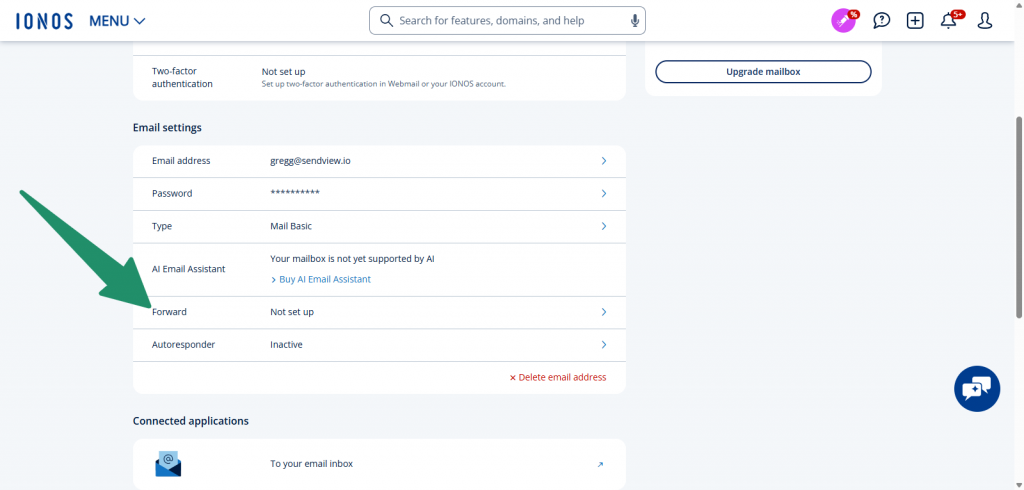
3. Scroll Down > Email Forwarding
Scroll down to the second block of items called “Email Settings” (the first block will likely be “Email Security”). Toward the bottom of the “Email Settings” section will be a link for “Forward”. If you don’t have forwarding set up for this inbox (like I didn’t), it should say “Not set up.” Click anywhere on that row.
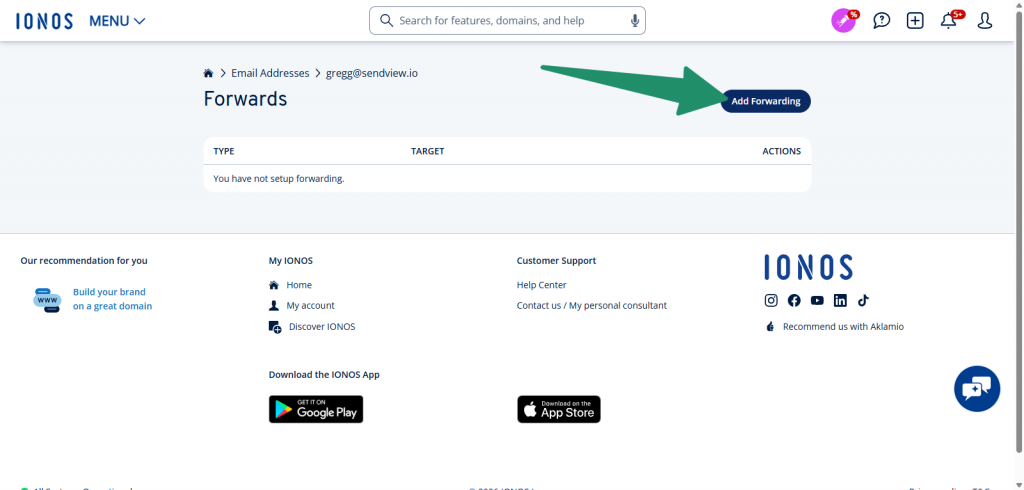
4. Click “Add Forwarding”
Next, click the “Add Forwarding” button in the upper right hand corner of the main content area.
5. Add Email as “Target”
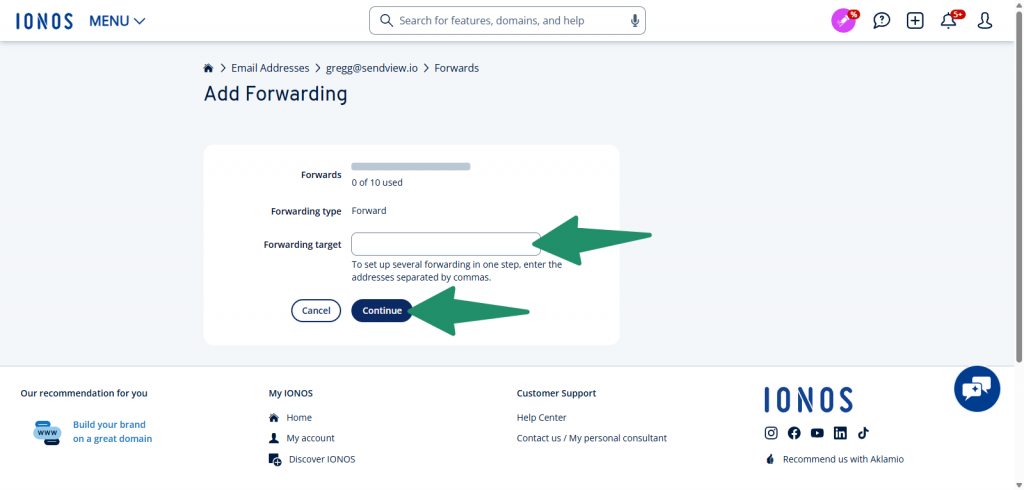
In the “Target” field, enter the email address you would like emails to be forwarded to. Then click “Continue”.
6. All Set
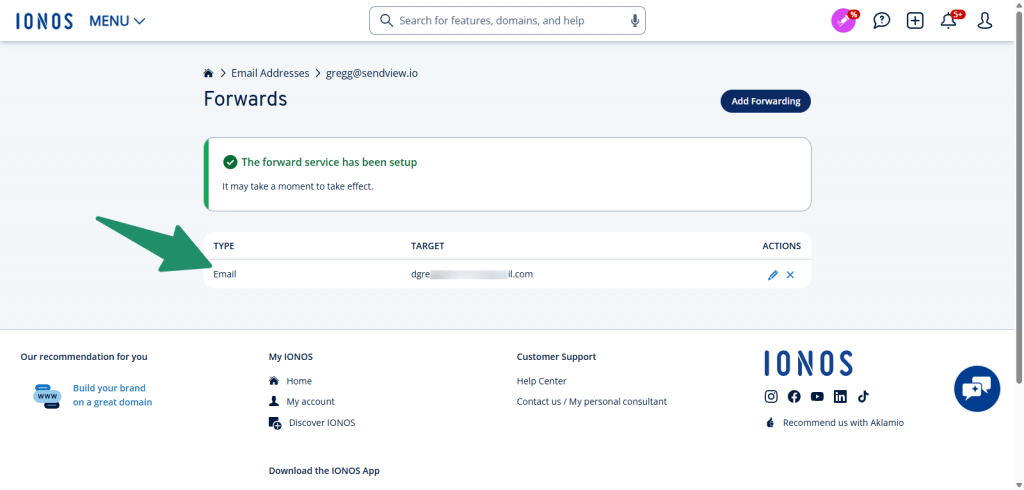
If successful, you’ll be taken back to that previous screen. This time, you should see a confirmation message showing the forwarding was successfully set up with the forward showing in the list below that.
And that’s it.
Like I said, there’s a lot of info about setting up an email forwarding for IONOS, but not a lot about forwarding an existing email inbox. Hopefully this quick guide helps.